
PS CLEMENTINE PRO
A tool for data mining and automation
PS Clementine PRO provides a comprehensive and universal solution for data mining analysis and automation. It supports the entire data mining process, from data preparation and modeling to the practical application of models.
The data mining component is based on one of the most widely used commercial data mining tools – IBM SPSS Modeler.
PS CLEMENTINE PRO CONTAINS
The software consists of several components.
IBM SPSS Modeler
PS Desktop
- PS Clementine PRO
- (formerly Manager)
PS Clementine Repository
Data Preparation and Data Manipulation
PS Clementine PRO includes the IBM SPSS Modeler data mining tool. Its functionality has been further enhanced with several input, process, and terminal nodes, enabling better implementation of REST and SOAP web services. Additional extensions include easier connection with the IBM SPSS Collaboration & Deployment Services environment and simplified handling of variable names after aggregation.
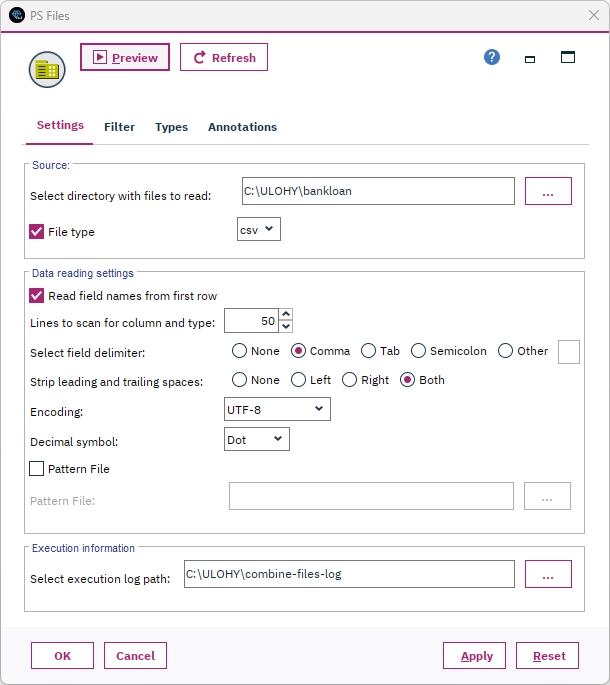
Configure file loading using the added PS Files functionality.
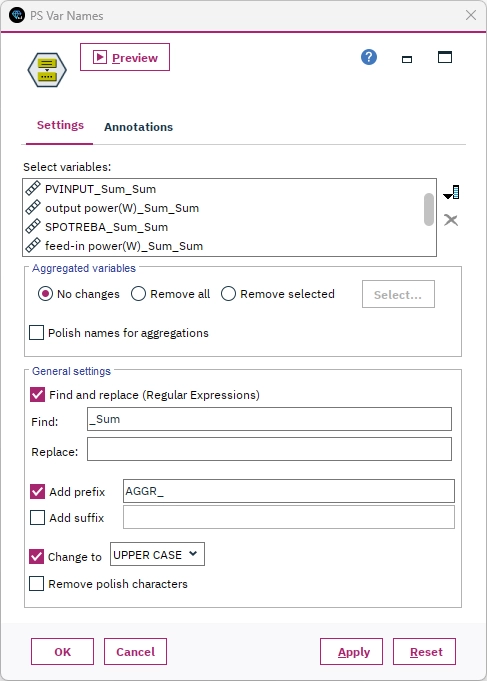
Bulk renaming of variables, typically after using aggregation functions.
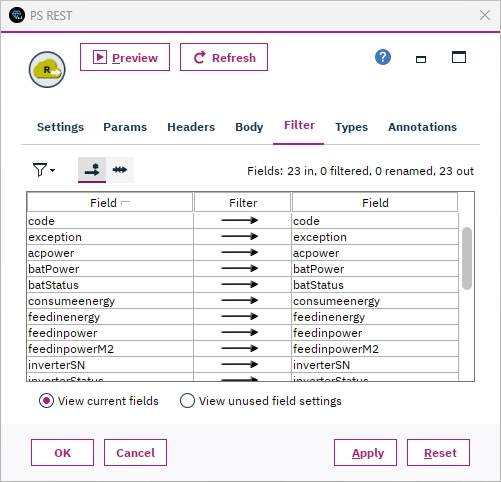
Configure communication with a selected web service using REST technology.
Modeling and Machine Learning
PS Clementine PRO offers dozens of machine learning algorithms. You can find commonly used algorithms such as logistic regression, or opt for modern techniques like the XGBoost decision forest. Finished models can be easily combined into ensembles. Naturally, the entire solution, including predictive models, can be easily exported to operational software.
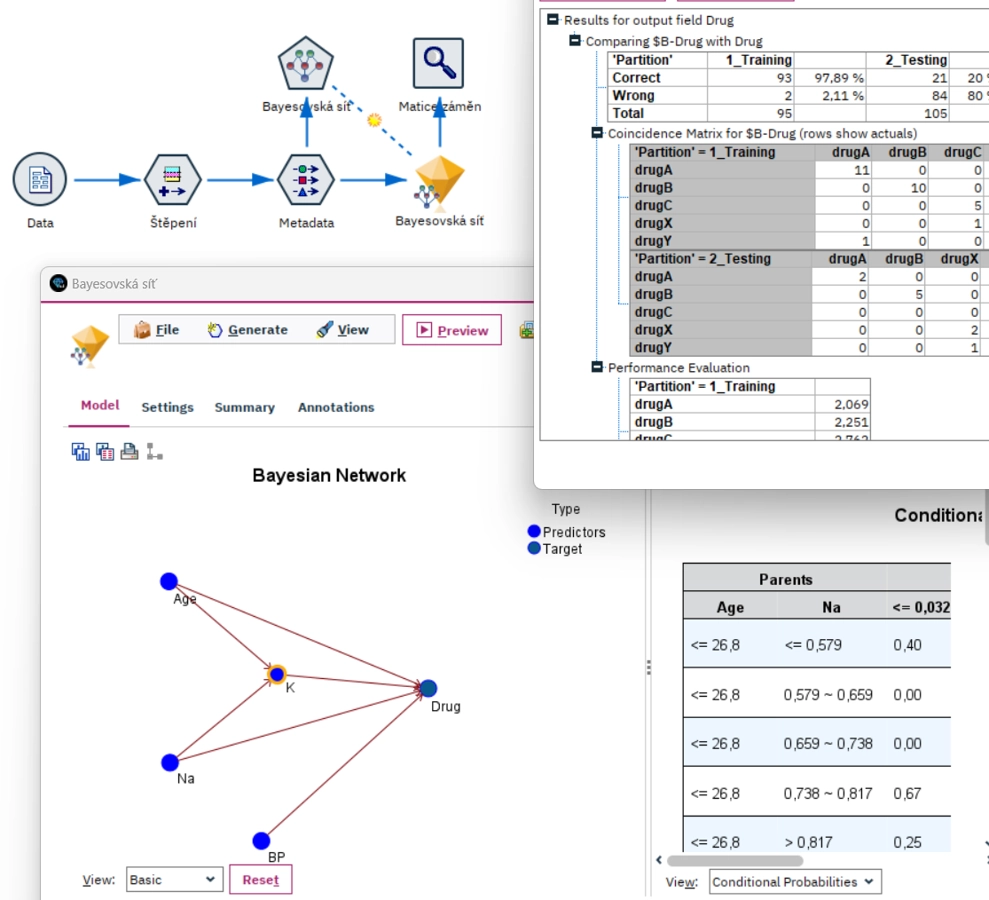
Bayesian networks offer a highly transparent multivariate statistical model based on estimated conditional probabilities of key relationships between inputs and outputs.
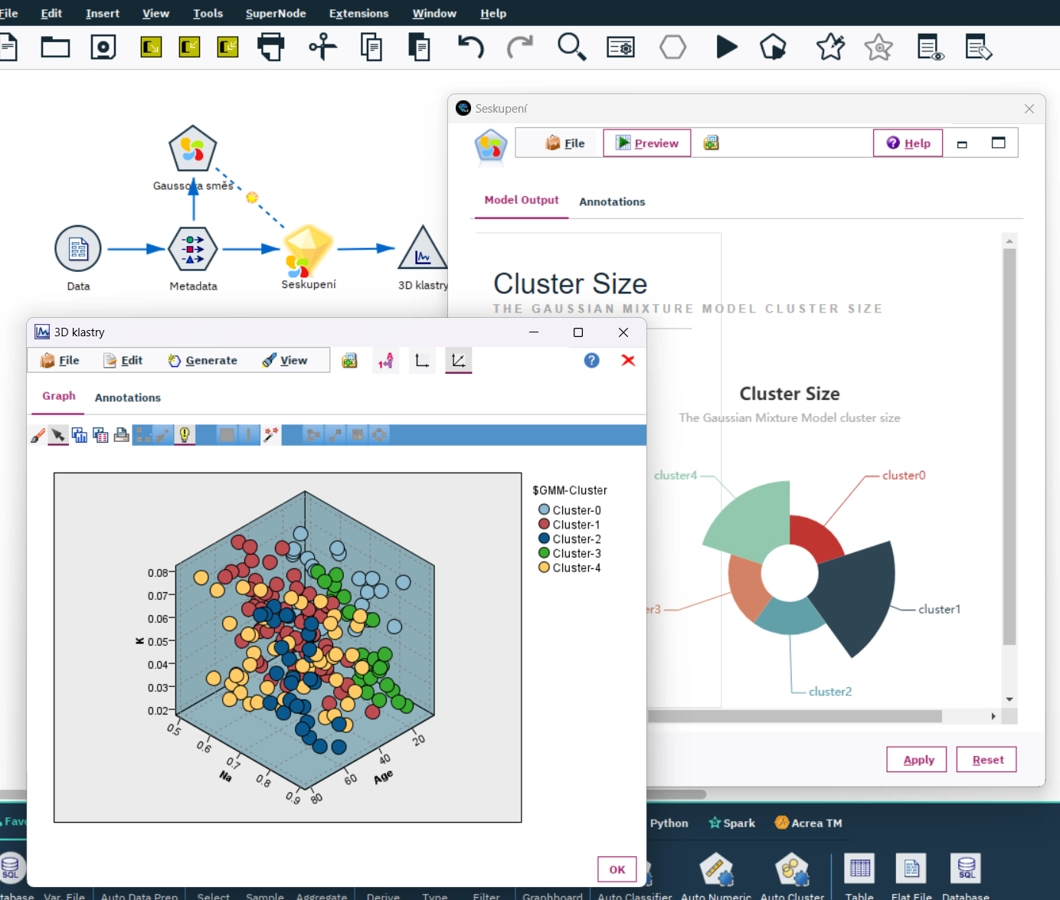
Gaussian Mixture represents an alternative to classic clustering methods, such as k-means or Kohonen maps.
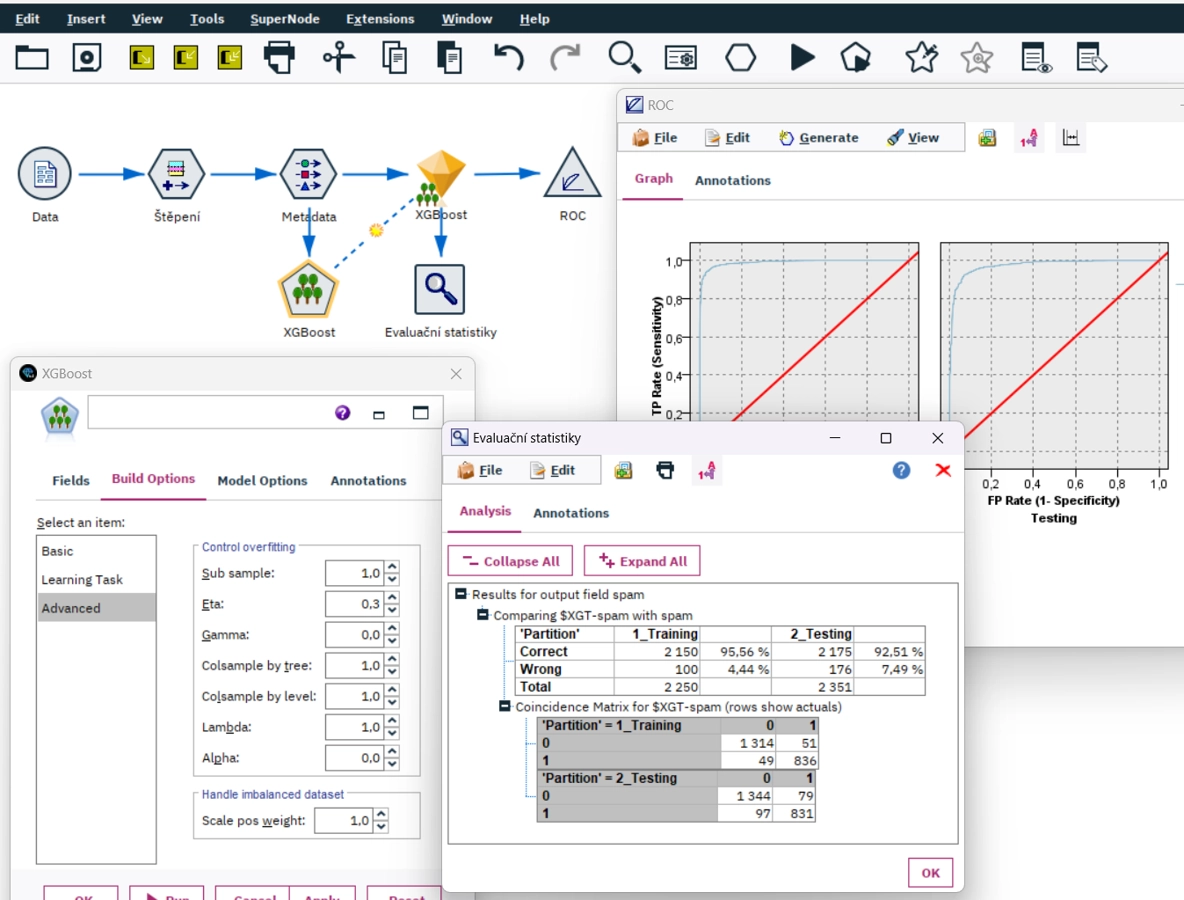
Decision forests effectively combine the accuracy and generality of a predictive model. A very popular algorithm for decision forests is XGBoost.
Reporting and Visualization
Charts from PS Clementine PRO can be used for both presenting results and ongoing ad-hoc analysis or generating necessary data manipulations. In editing mode, you can modify the chart's appearance, while exploration mode offers tools for selecting specific objects in the chart and generating manipulation nodes such as selections, categorizations, or balancing.
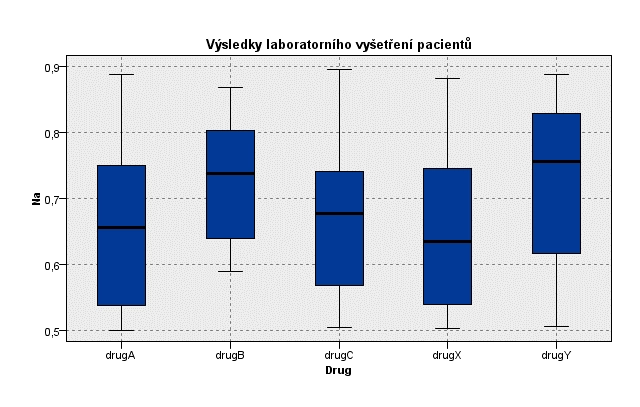
The popular box plot not only allows for the identification of potential outliers but also offers a comparison of numerical variable distributions across subgroups.
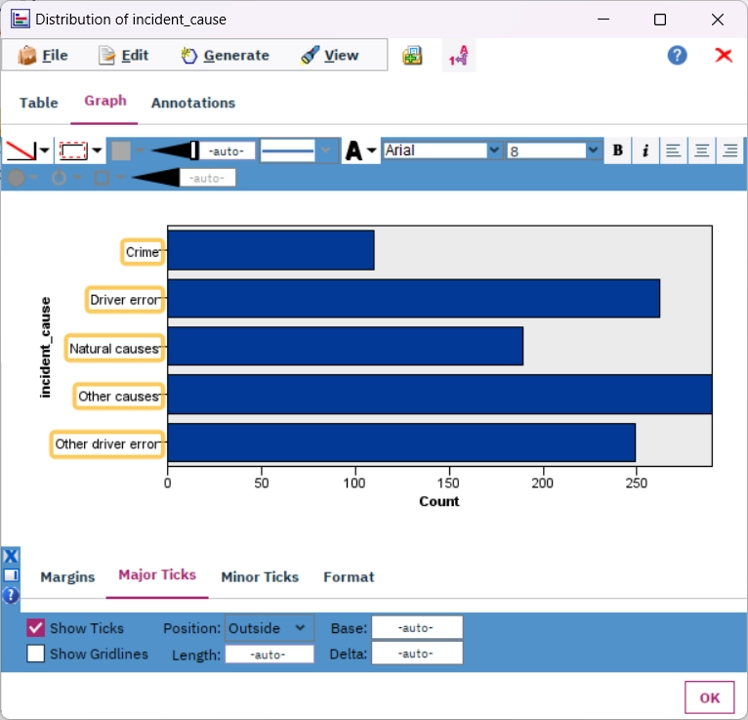
Editing mode is used to change the appearance of charts. The intuitive interface allows you to modify the properties of individual objects within the chart.
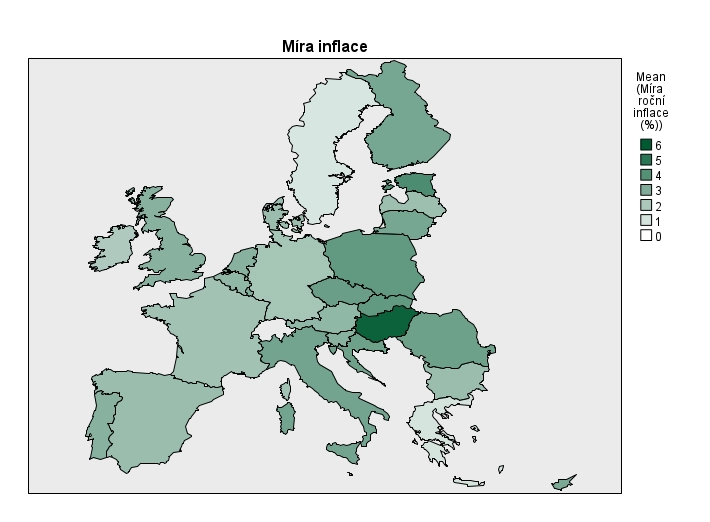
Data regarding countries, cities, roads, or other locations are best represented on a map background. You can color-code maps, change markers, or add small charts to selected coordinates.
Automatization and deployment
A major added value of the PS Clementine PRO solution is the ability to manage and automate analytical assets, specifically IBM SPSS Modeler streams. These streams are used in automated tasks (jobs). Jobs can be triggered automatically or ad-hoc, or their execution can be initiated by an external event – such as adding a new file or via a REST/SOAP call.
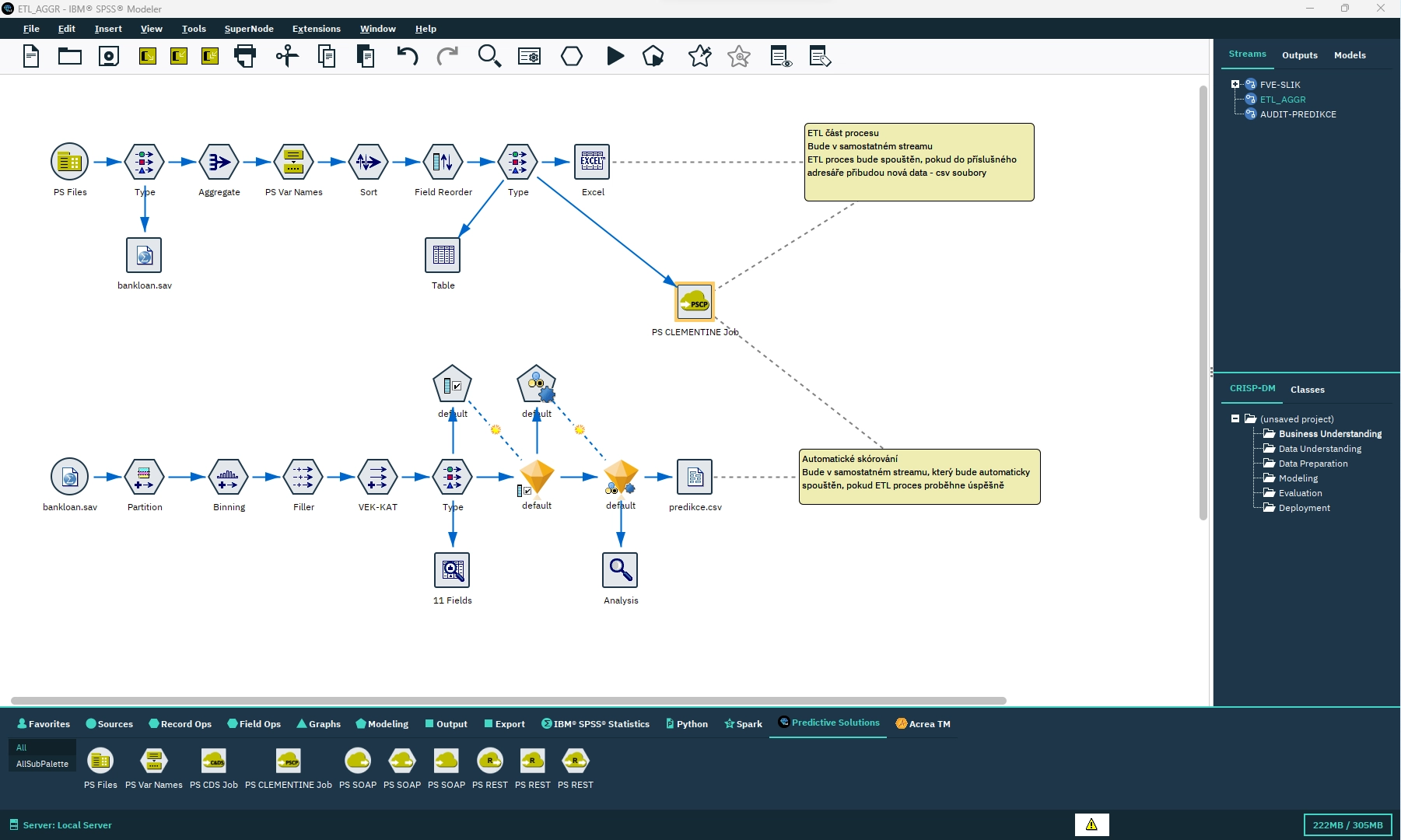
Sample definition of streams that will subsequently be divided into two automated tasks (jobs) and executed sequentially.
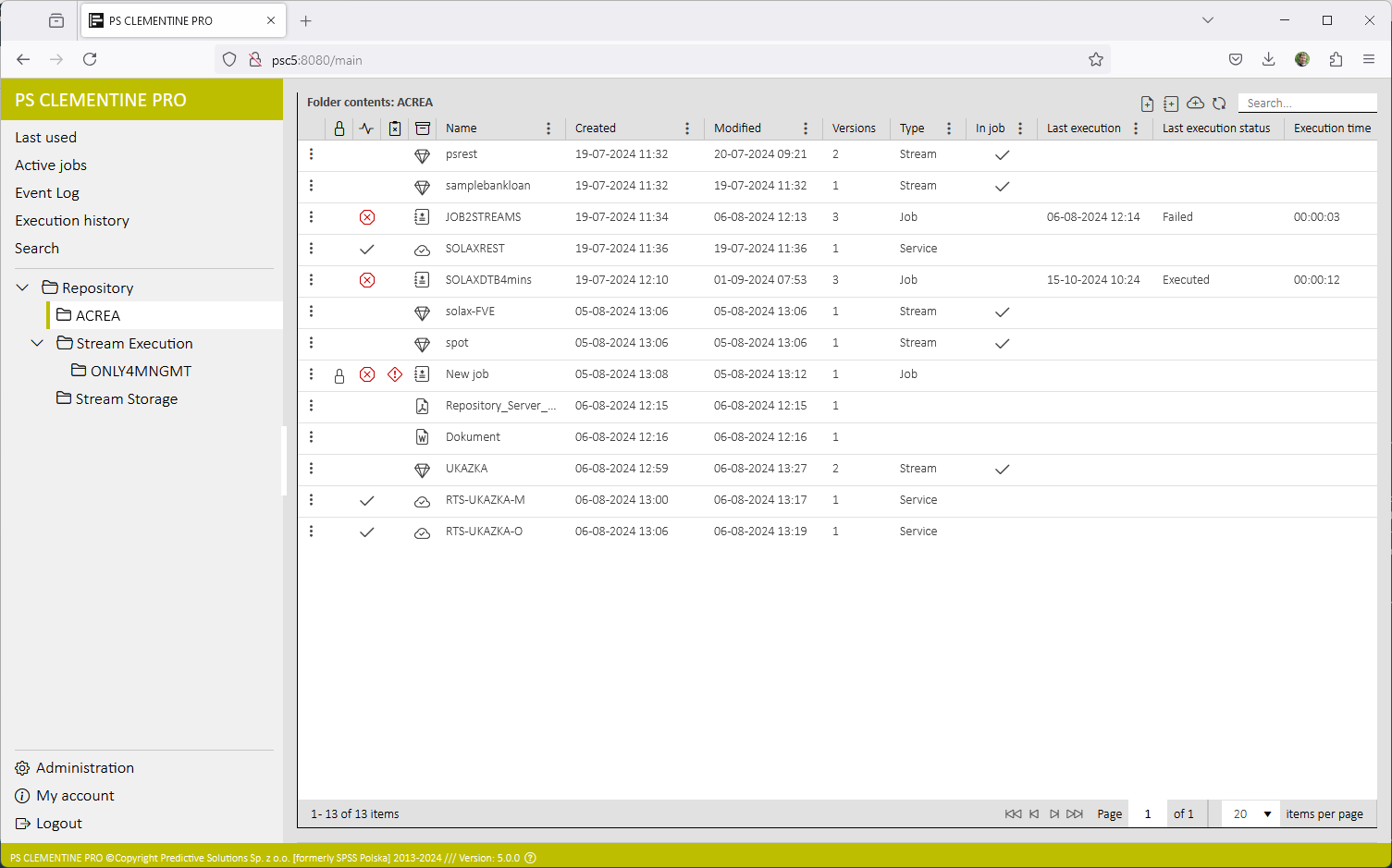
Management interface for analytical asset administration and automated task definition, featuring real-time job status monitoring and execution history.
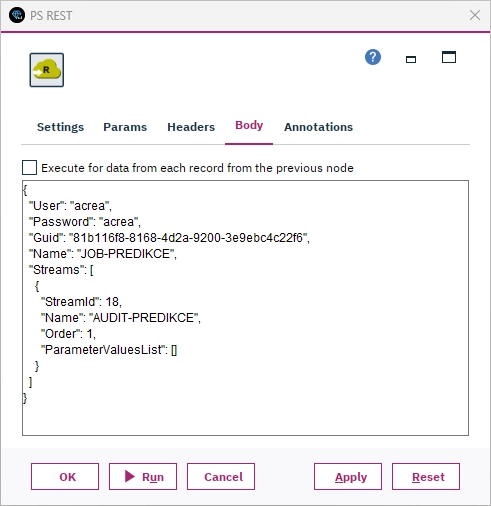
A general definition of the PS REST terminal node, which ensures that a REST message is sent to an external process. For job automation, the specific PS Clementine JOB node can also be utilized.
Additional software capabilities
The components of the PS Clementine PRO software solution facilitate the processes of reporting, output sharing, and automation. This includes the PS Clementine PRO web tool (formerly Manager), which allows users to create tasks composed of stream(s), define their execution, and ensure the management of analytical tasks and user access.